Riaz Ahmed ● 17 June 2024 ● 10 mins read
UX Design Process
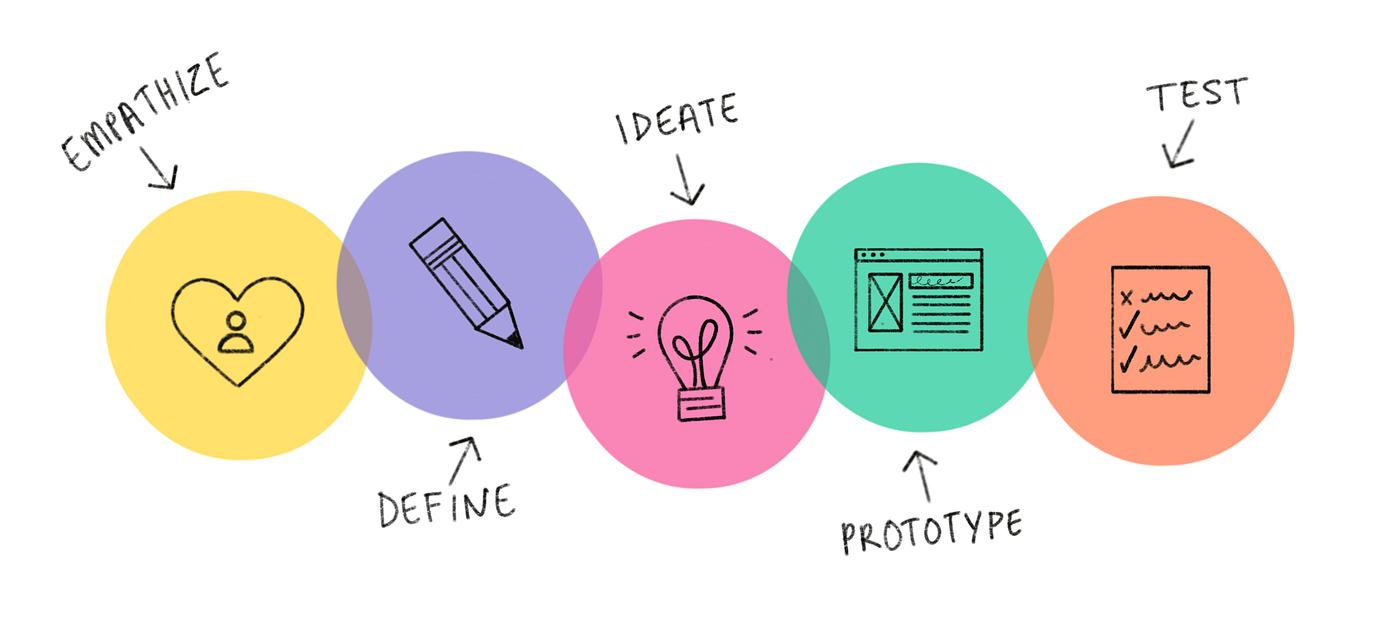
The UX design process is a systematic approach to creating user-centered products and experiences. It involves several key stages that guide designers from initial research to final implementation and testing. Here’s an overview of each stage:
Empathise
The name UX design says it all: the user’s experience is at the center of how we design products. The best way for you to create great user experiences is to know and empathize with your user.
Empathy is the ability to understand someone else’s feelings or thoughts in a situation.
How to empathise with users
The ability to empathize with users is a skill that can be learned with practice. Here are six tips that can help you become a more empathetic UX designer.
- Ask lots of questions. As a UX designer, you cannot make assumptions about the needs of your users. Instead, ask your users directly about their needs and wants, which your product design can address. Ask questions that begin with what, how, and why to gain a deeper understanding of your users’ perspective.
- Become more observant. Shift your focus to the whole user and not just the words they are using. In interviews where the user is physically present or on a video recording, watching a user interact with you or your product can provide physical cues that can affect your research outcomes. To help capture observations, you’ll take detailed notes or even record your sessions with users.
- Be an active listener. Active listening requires you to fully concentrate on, understand, and remember what is being said by the user you’re interacting with. Avoid getting distracted by where the conversation is going or what you might say next. In UX design, practicing active listening can help you get impartial feedback directly from your users, which you can apply to improve your designs.
- Request input. It’s important that the feedback you receive is objective and unbiased. Friends or colleagues often provide biased, mostly positive feedback because they want to support or please you. So, it’s important to request input from a variety of sources and a diverse group of users. When asking for feedback, use open-ended questions to understand the user’s actual thoughts on the experience or product.
- Have an open mind. We all have biases. Remember, a bias is favoring or having prejudice against something or someone, based on limited information. As UX designers, we have to set those biases aside to better empathize with others. Your goal is to understand users, not to complicate their feedback with your own opinions and emotions.
- Keep current on UX research. Follow researchers and join online communities to stay up-to-date on the research that affects UX designers and the users you’re designing for. Research is always changing and evolving as we understand more about human psychology. Staying current will give you an advantage in how you understand and interact with your audience.
A helpful way to understand your users is to build a user story around their experiences with your product. User story is a fictional one-sentence story told from the persona’s point of view to inspire and inform design decisions.
User stories should be written in the following format:
As a type of user (who), I want to action (what) so that benefit (why).
This who-what-why template helps designers craft compelling user stories that concisely express who users are, what they need, and why:
- Who is the “type of user” the product is for.
- What is the “action” the user hopes will happen.
- Why is the “benefit” the user wants to achieve from that action.
Define
As designers move into the define phase, they will use their empathy work to answer these key questions:
- Which of my users’ needs or problems are the most important ones for my design to address?
- How might my design address these needs or problems in effective and unique ways that create value for users?
Define problem statements
Identifying the problems that users face is one of the most important parts of UX design. Problem statements provide a clear description of the user’s need that should be addressed. To build a problem statement, you can utilize the 5 Ws framework.
The 5 Ws and H: who, what, when, where, why, and how
The most common framework used to create problem statements is the 5 Ws and H framework. After you define the user’s pain points, you can answer who, what, when, where, why, and how to solve the user’s problem.
- Who is experiencing the problem? Knowing your users and their background is key to creating successful solutions for them.
- What are the pain points you’re trying to solve? Determining a user’s pain points early allows you to answer the rest of these questions and clarify the context of the pain points.
- Where is the user when they’re using the product? A user’s physical context matters to your design.
- When does the problem occur? Maybe it’s right after the end of a long and tedious process, or maybe it’s something that happens daily. Knowing when the problem occurs can help you better empathize with the user’s feelings.
- Why is the problem important? Knowing how this problem affects your user’s experience and life will help to clarify the potential consequences.
- How are users reaching their goals by using the product? Understanding how users reach their goals allows you to map the user journey that they take through your product
Ideate
Here are some tips for ideating effectively.
- Establish a creative environment. You’ll need a comfortable space where everyone on your team can get together and present their ideas. If you’re meeting in person, choose an ideation space that’s different from your usual workspace. If you’re ideating virtually, try to find a different space in your home that’s free of clutter and distractions.
- Set a time limit. There are endless possible products and features you could design, so give yourself plenty of time to come up with ideas. However, you can’t brainstorm forever, so you’ll also need to set a time to stop brainstorming and start thinking more deeply about the ideas you’ve come up with.
- Assemble a diverse team. You’re trying to come up with as many different ideas as possible. An inclusive team of people, with different races, genders, abilities, and backgrounds, will help you come up with all kinds of solutions.
- Think outside the box. Don’t limit yourself to traditional ideas and solutions. If you have a cool idea that seems a little different, write it down! Think big and get creative while ideating.
There’s no right or wrong way to practice design ideation. There are many techniques you can use to come up with ideas.
Prototype
Creating paper wireframes
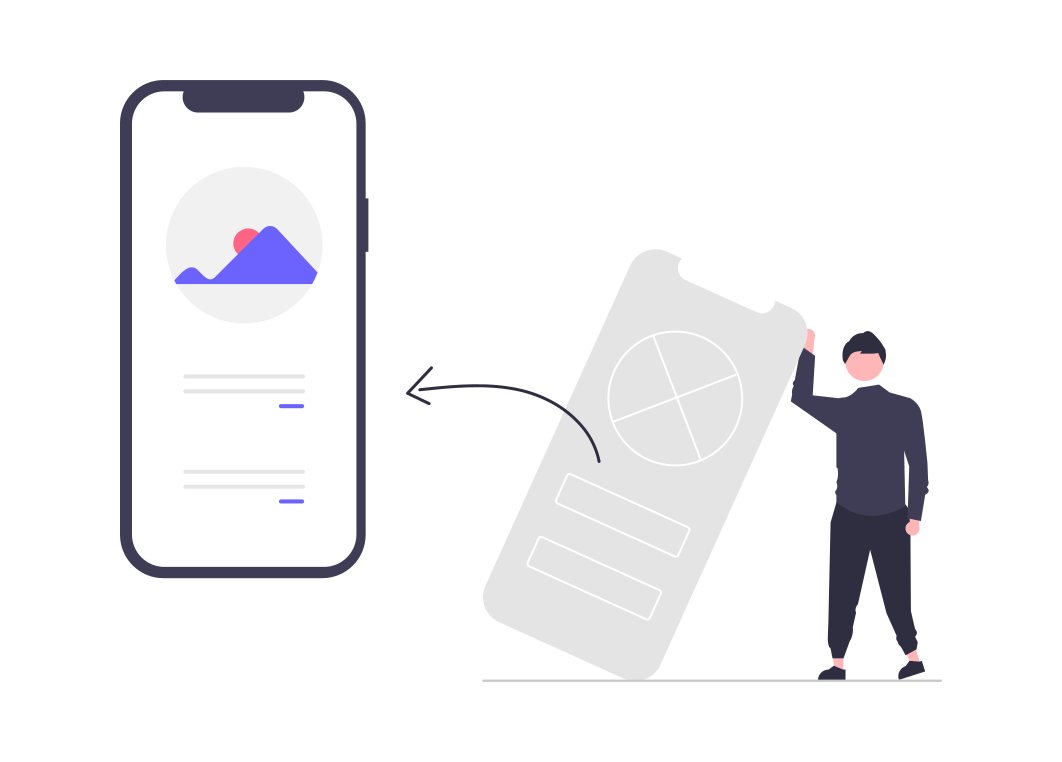
Wireframe is a low-fidelity outline of a digital experience, like an app or website. Its purpose is to:
- Establish the basic structure of a page
- Highlight the intended function of the product
- Save time and resources
Wireframes enable designers to:
- Identify the content to include in their products
- Catch problems early
- Get stakeholders to focus on structure
- Save time and effort
- Iterate quickly
Five quick-sketch versions of paper wireframes
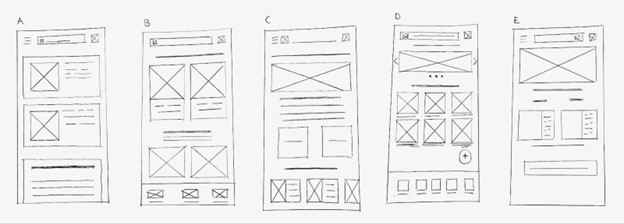
After coming up with ideas, the designer then needed to decide how to refine, or improve, the wireframe by:
- Reviewing the versions of the wireframe
- Adding a star next to the pieces that were most effective; these starred elements, from the five versions, will make up the final version of the paper wireframe screen
Now that you’ve put your ideas on paper with wireframes and paper prototypes, you’re ready to create a digital prototype
Digital Prototyping
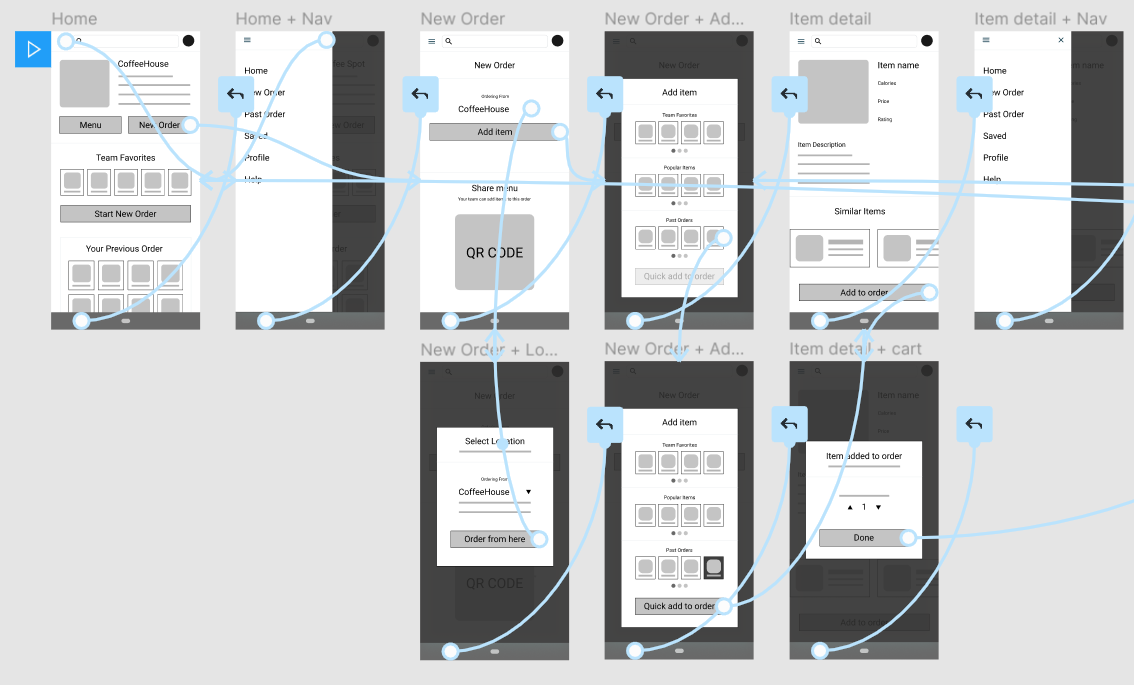
Digital prototyping makes it easy to share, edit, and collaborate on your designs, and it helps you get one step closer to visualizing your final product. Before you start building a prototype, you should ask yourself how users might interact with your product. Some questions to consider are:
- What are common user flows through your product?
- What buttons will users interact with? What order will they perform these actions in?
- What will users expect to happen after they click a button or submit a form?
Thinking about these questions before you start prototyping will help you design for different and diverse types of user interactions. You’ll be using these questions, along with your wireframes and paper prototype, to build a digital prototype.
Test
Once the designer adds all the necessary connection nodes to the low-fidelity prototype, they need to make sure it works properly. To do this, the designer tests their design in presentation view to ensure the user journey follows what is outlined in the prototype by checking the connections, navigation, and completion of each screen.
Connections
The designer previews the wireframes to ensure the connections worked properly. Previewing an app helps to alert designers where their design may be missing a connection. When reviewing connections in your own prototypes, ask yourself:
- Are all the required connections made within the wireframes to complete the main user flow?
Navigation
The designer also ensured that connection nodes were included for moving forward and backwards in the app. When reviewing connections in your own prototypes, ask yourself:
- Is there a means for users to proceed forward and backward within the flow?
- Are cues for navigation clearly indicated within the prototype?
Completion
The designer then tested each button in the preview mode to ensure that each button was accounted for. When reviewing completion in your own prototypes, ask yourself:
- Is there an indication of the successful completion of the simulated activity?
- Can users return to a sample origin after completing the simulated activity?

If this is of interest and you would like to explore further then please contact info@anyaconsultancy.com
For more information on ACS, technology and domain expertise, please visit our website at www.anyaconsultancy.com
About Anya Consultancy Services
ACS is a global SI headquartered in the UK with offices On-shore in England and Scotland, Near-shore in Romania and Portugal and Off-shore in India.
We started in 2010 as an integration specialist, working with big enterprises to integrate ERP, Manufacturing, Warehouse and e-Commerce solutions.
Since that time, we have widened our portfolio via a mix of organic growth and acquisitions to encompass a Hi-tech engineering capability, our successful IT services business and a growing portfolio of SaaS solutions from in store radio station management through to Digital catering solutions feeding ‘000s of NHS patients every day.